NEW Works on Netflix, YouTube & 30+ sites

Learn a language
by watching movies & shows.
Not by studying.

2Subs is the free Chrome extension that puts two subtitles at once on Netflix, YouTube, Disney+ and Prime Video — your language and the one you're learning. Install in 30 seconds. Learn while you watch your next episode.

30+ languages · No account needed · Free during beta
EN Watching language
ES Learning language
On · Netflix
12:34
48:02
2Subs extension popup showing English and Spanish language pair, with live dual subtitles

Works on every streaming site you already use

Netflix YouTube Disney+ Prime Video HBO Max Apple TV Crunchyroll Coursera

The Chrome extension for watching to learn.

Every Netflix night becomes effortless language immersion. Every YouTube rabbit hole, a vocabulary lesson. No flashcards. No textbooks. Just shows you already wanted to watch.

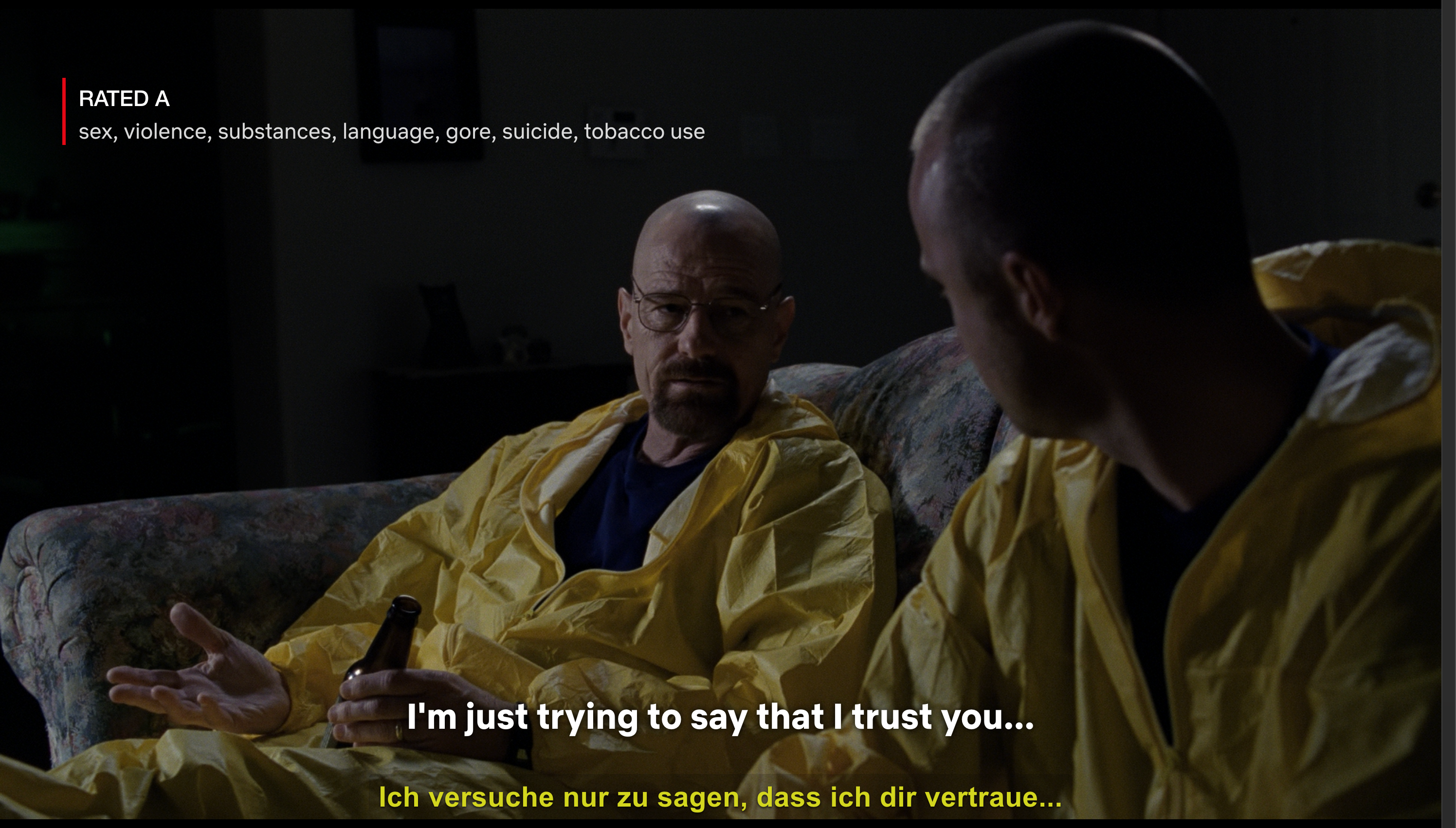
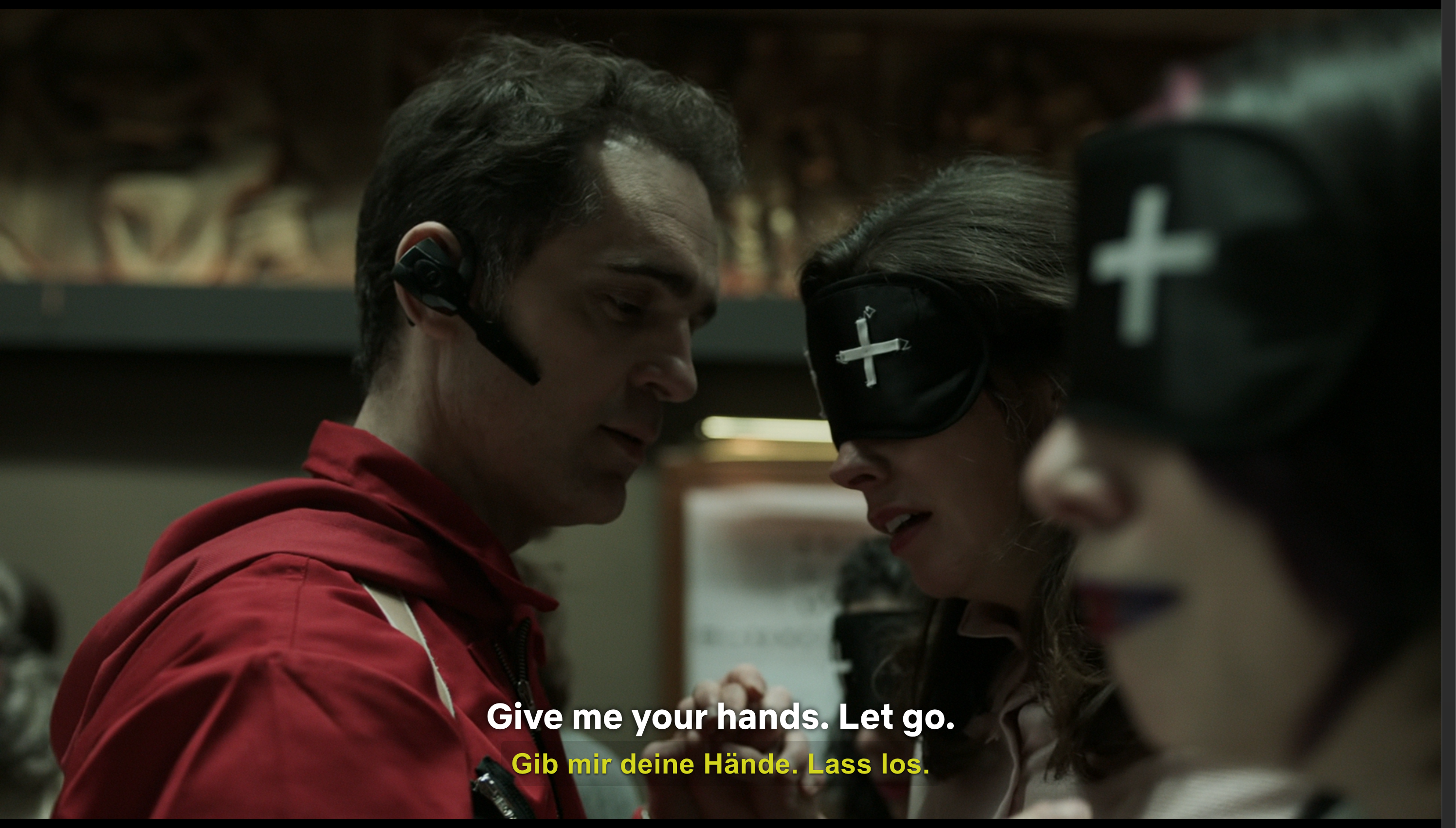
Two subtitles on Netflix. At the same time.

Watch in English, read in Spanish. Or watch in Korean, read in English. 2Subs stacks two subtitle tracks on the bottom of the player — perfectly synced, even when you scrub.

It's not the time, it's the place. No es el momento, es el lugar.
Coming soon

Auto-translate when the show doesn't have your language

Pick “From stream” today. Auto-translate is planned next, so shows with only one subtitle track can become useful in 100+ languages without extra setup.

AaBbñçßü θπعפ RrÉèãøÆœ ЫФжЯرلمن
Coming soon

Click any word to define it

See definition, examples, gender. Save it to revisit later — your binge becomes a vocab list.

mariposa noun · butterfly
empezar → saved
escondido adj · hidden
Coming soon

Auto-pause at every line

Built-in Study Mode pauses at the end of each subtitle so you can read, repeat, and resume — one tap.

What did he just say? ¿Qué acaba de decir?
Coming soon

Slow it down to your level

0.5×, 0.75×, 0.9× — match dialogue to your level without losing pitch.

0.75× playback

Tune the subtitles to your taste

Per-subtitle font size, weight, position (top/bottom), vertical offset, and background opacity. Light or dark mode. Style Sub 1 one way, Sub 2 another — exactly how you want it.

2Subs appearance settings panel with font size, vertical offset, position, weight, and background controls

One extension. Netflix, YouTube, Disney+ and 30+ more.

Plays nicely with Prime Video, HBO Max, Apple TV+, Crunchyroll, Viki, Coursera, Udemy, BBC iPlayer, and more. Each site remembers its own language pair.

NNetflix
YouTube
D+Disney+
primePrime Video
MaxHBO Max
CCrunchyroll

Pick a language. Pick a show. Start learning.

Whatever you're learning — and whatever streaming service you're on — 2Subs has you covered. Mix and match any two of 100+ languages.

This is actually what it looks like.

No marketing mockups. Just the real 2Subs popup, the real subtitles, sitting on top of your real Netflix tab.

One-click control
2Subs extension popup
LIVE on Netflix
What were you doing in there?
¿Qué estabas haciendo ahí dentro?
EN Watching language
ES Learning language
Tap to swap any time
Press S to toggle on/off
Fully customizable
2Subs appearance settings

Set up in 60 seconds. Watch forever.

No account. No payment. No friction. Three small steps and you're learning from your next episode.

01

Pin 2Subs to Chrome

Add the extension free from the Chrome Web Store. Works on Chrome, Edge, Brave, Arc and Vivaldi.

02

Pick your two languages

One for watching, one for learning. 2Subs remembers each pair per streaming service.

EN Sub 1: English
ES Sub 2: Spanish
Tap to swap
03

Open Netflix and press play

Or YouTube. Or Disney+. Both subtitles appear instantly. Press S to toggle 2Subs any time.

Press play. Start learning. Dale play. Empieza a aprender.

Comprehensible input, finally at scale.

Linguists agree: you learn fastest when you understand what you're hearing. 2Subs lets you stay in flow — never lost, never bored — using shows you'd be watching anyway. Comprehensible input + Netflix = the closest thing to immersion without a plane ticket.

Add to Chrome — free
3.4×
Faster vocabulary retention vs. flashcards alone
42
Avg. new words picked up per movie
100+
Languages, paired any way you want
LIVE · Dual subtitles on
You won't learn from a textbook. You'll learn here. No aprenderás de un libro. Aprenderás aquí.

12,400 people learning languages on their favorite shows.

"I watched a whole Spanish thriller on Netflix with English + Spanish subs. By episode three I was reading the Spanish line first. My Duolingo streak is jealous."

MC
Marcus Chen
Software engineer · Berlin · learning Spanish

"K-dramas with Korean + English subs at the same time? Auto-pause on every line? This is the cheat code I've been waiting six years for."

AT
Aiko Tanaka
Designer · Kyoto · learning Korean

"I'm learning Japanese through anime. The auto-translate feature handles shows where Netflix only ships one subtitle track. 80% accuracy is more than enough to pick up daily phrases."

SK
Sofia Kim
Student · São Paulo · learning Japanese

100% free during beta.

No ads. No account. No card. Use every feature while we keep building. Paid plans arrive later this year — you'll keep the free tier forever.

Free during beta

Everything 2Subs does today — on us.

$0/mo
Free forever for early users
Install free
  • Dual subtitles on Netflix & YouTube
  • 100+ languages, any pair
  • Customize subtitle font, size, position
  • Light & dark mode
  • No account required

Everything you wanted to ask before installing.

Yes. 2Subs reads Netflix's own subtitle tracks when they're available and displays two tracks together. Auto-translate is planned, but currently disabled while we keep the beta simple and free.
You can get surprisingly far. Linguists call it “comprehensible input” — when you understand 90% of what you hear, your brain absorbs the rest. Most 2Subs users pair it with a textbook or app, but everyone reports their listening and vocabulary improving fastest while watching.
30+ today: Netflix, YouTube, Disney+, Prime Video, HBO Max, Apple TV+, Crunchyroll, Viki, Coursera, Udemy, BBC iPlayer, Hulu, Paramount+, Tubi, Kanopy and more. We add new services every month based on community votes.
For now, 2Subs needs subtitle tracks supplied by the streaming service. Auto-translate is on the roadmap, but it is currently disabled in the public beta.
Not yet — 2Subs is a browser extension, so it runs on the desktop sites (Chrome, Edge, Brave, Arc, Vivaldi). You can use Netflix on a laptop or open YouTube in a browser tab on a tablet. Native mobile support is on our roadmap for next year.
Any two of 100+: English, Spanish, French, German, Italian, Portuguese, Dutch, Polish, Russian, Turkish, Arabic, Hebrew, Hindi, Bengali, Mandarin, Cantonese, Japanese, Korean, Vietnamese, Thai, Indonesian, Swahili, Greek, Swedish, Norwegian, Danish, Finnish, Hungarian, Czech, Romanian, Ukrainian and many more.
No. The extension runs in a separate worker thread and adds less than 2 MB of memory overhead. Every release is benchmarked against vanilla playback — there's no perceptible difference, even on 4K streams.
The Starter plan is free forever — no account, no card. 2Subs never sells data. Subtitles you save stay encrypted in your browser storage and are tied to your account only on paid plans.

Press play.
Start learning.

Install 2Subs free in 30 seconds. Your next Netflix night is also your next lesson.

Add to Chrome — free